
In this GlibTalks blog, I explore the merits of using web browser extensions for English learning, particularly from the point of English Vocabulary building and compare them to alternatives like Google Search, Online English Dictionaries and GenAI tools
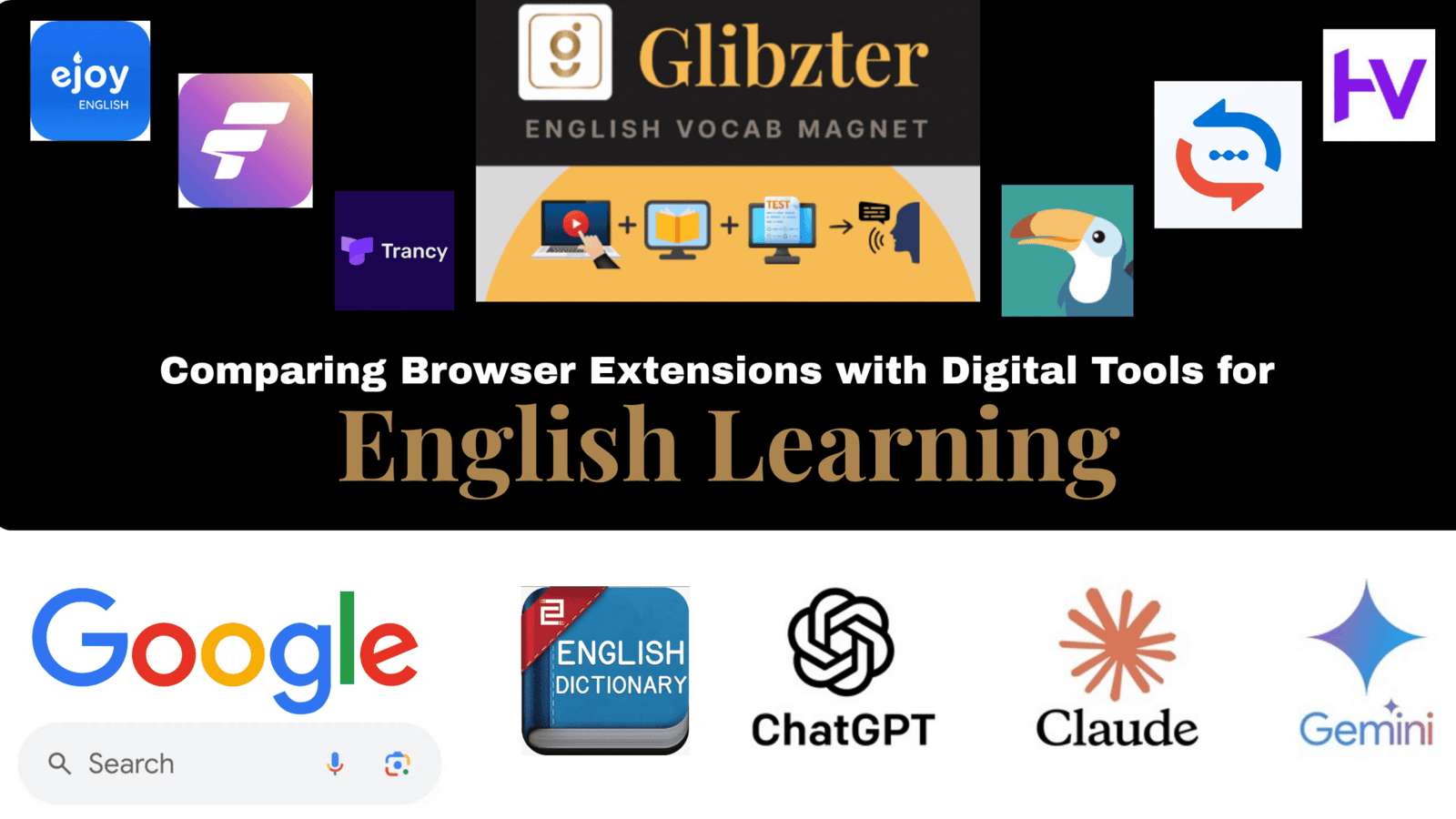
As part of my Chrome web browser extension series that I have been writing for those interested in the English Language Teaching (ELT), English as a Second Language (ESL) and English as a Foreign Language (EFL) spaces, I have recommended some of the Best Chrome extensions to help you expand your English Vocabulary while Reading Online English News Articles and Blogs, and Streaming Videos with English Subtitles/ Closed-Captions (CC).
I'm typing this blog today, as I was asked this extremely pertinent 'elephant in the room' question by my mentors at Incubation Centre of IIT Patna (IC-IITP):
"Why would I want to use your extension when I can just Google Search, or open a Dictionary app, or type in a prompt into ChatGPT, Gemini or Claude?"
This blog is an explorative attempt at answering this question, by showcasing the merits of all Chrome Browser Extensions for English Vocabulary Building in general, and of Glibzter English Vocab Magnet in particular against the aforesaid digital alternatives.
Online English Dictionaries
During my years in school in the 90s, there always used to be the navy blue covered Oxford English Dictionary that I always referred to while playing the word game Scrabble, or while reading the 'The Hindu' newspaper to know the meanings of new English words I came across. Fast-forward to the present, my port of call if I am stuck on a new English word or phrase is to open TheFreeDictionary.com while on my laptop or Google Search it while on my smartphone.
Over the last decade and a half, we have had new dictionaries such as UrbanDictionary.com that has to be a go-to resource to keep up with GenZ's abbreviated lingo, dictionaries such as Cambridge Dictionary, Oxford Learner’s Dictionaries, Merriam-Webster, Dictionary.com, and WordReference remain the baseline for authoritative language reference.
Let's address the question:
"Why use and pay for a Chrome Extension when I can get more in-depth meanings and lexical information on an Online Dictionary App or Website for Free?"
Chrome Extensions for English Vocabulary building are NOT dictionary reference substitutes.
While online dictionaries have the lexical depth and authority giving you information beyond meanings such as etymology, synonyms, antonyms, CEFR levels (A1–C2), exact grammatical sub-categorizations, phonetics (IPA), along with usage examples, Word of the Day features and interactive word games (like Hangman on TheFreeDictionary.com), the value additions by Chrome extensions which they do not offer include:
- Auto-curation of English words and phrasesfrom the digital content (videos + news articles) you consume on extensions like Glibzter English Vocab Magnet. An online dictionary cannot perform this task for you.
- Seamless digital content consumption experience with a 1-click or hover feature to get you the meaning without you having to leave the page, switch tabs, enter a word/ phrase, read and jot down the lexical information. The benefit? No cognitive switching costs! Extensions like Trancy, eJOY and FluentAI overlay dual subtitles, auto-pauses, interactive transcripts, and subtitle-click lookups on video platforms like YouTube and Netflix.
- Customized review quizzes based on actual browsing history: The learning on extensions like Glibzter English Vocab Magnet takes place when you take part in assessments that are created based on the words and phrases curated for you while watching videos or reading online news. Beyond standard MCQs, these assessments are highly contextual and include Speech recording and Writing based inputs helping you with improved speaking and writing skills in English.
- More Tangible Learning: Built-in Spaced Repetition Systems (SRS), smart notifications, pop-up quizzes, or in-text word replacement (word-swap) during browsing. There is greater tangibility in the learning experience as you can export the selected words & phrases into an Anki package, or .CSV, Excel or PDF file. On Glibzter English Vocab Magnet, it is not just the words and phrases, but also the qualitative feedback in the assessments that can be saved as a Google Doc in your Google Drive.
Google Search with MCQs and Speaking Practice
Let us now see what Google has to offer beyond giving us search and AI generated results for "<English WORD>+ Meaning" or "<English PHRASE>+Definition" and their equivalent keywords.
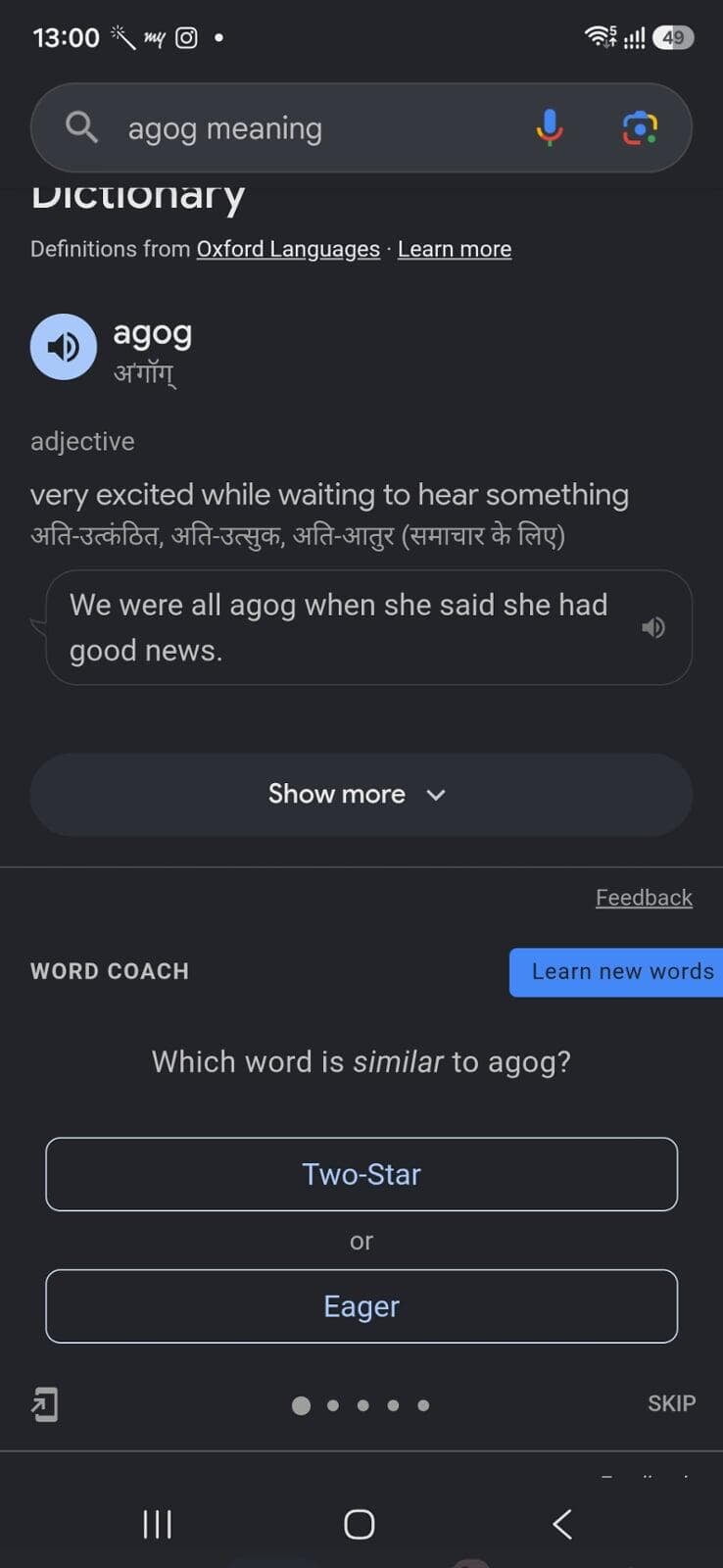
When you search the meaning of a new word on Google via mobile, it shows the lexical information along with usage examples. Under that you'd see a Word Coach which tests you on your contextual usage in the form of a multiple choice question (MCQ) for that word. It then proceeds with more MCQs covering 4-5 other words.
Google also helps users with pronunciation and speaking practice. For pronunciation help, Search "how to pronounce <English WORD>" to hear the audio and see a depiction of mouth movements.
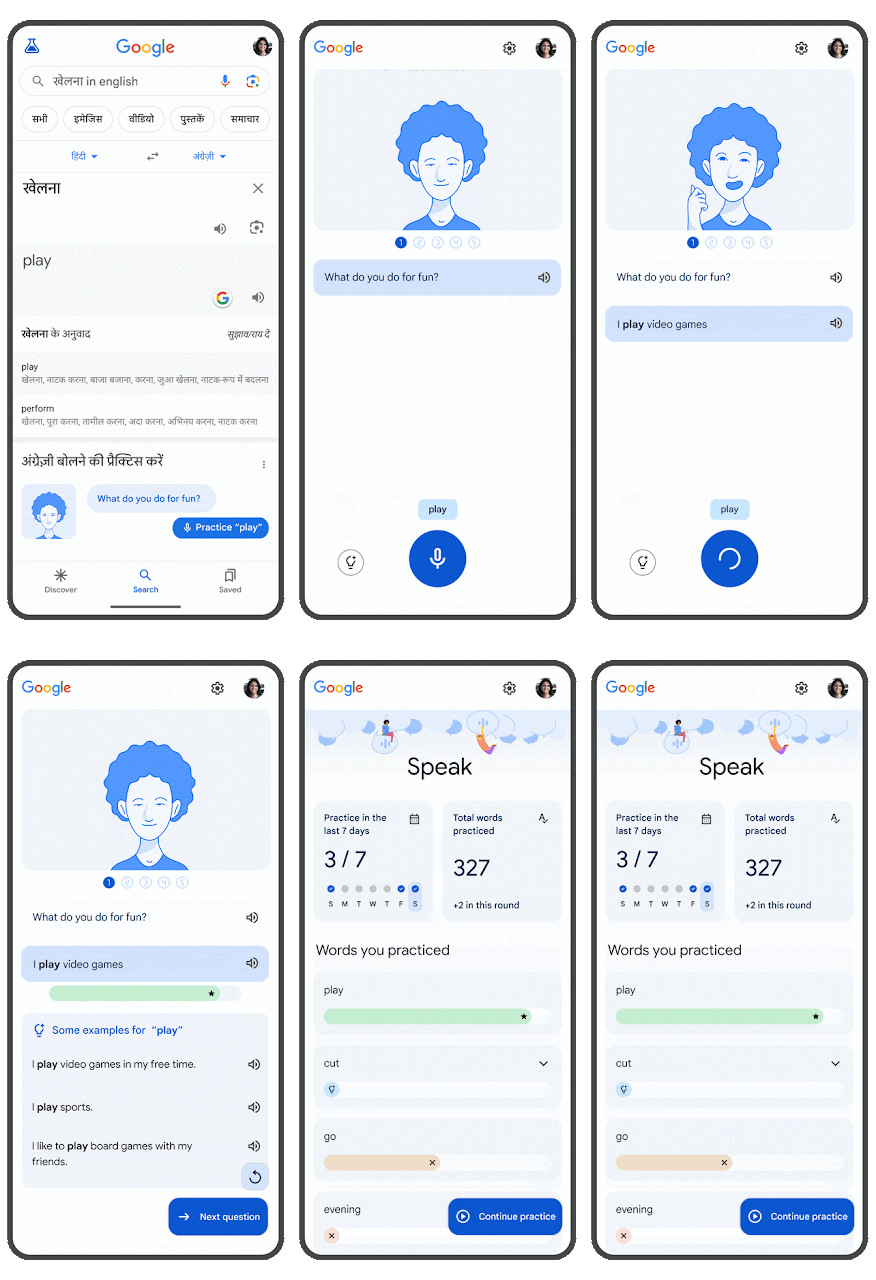
The feature which is a gamechanger for students who speak English as a second or foreign language is the Speaking practice along with personalized feedback integrated into Google Search as a value addition to the existing definition generation and translation offering.
According to the Google Research blog:
- Learners practice vocabulary in authentic contexts, and material is repeated over dynamic intervals to increase retention — approaches that are known to be effective in helping learners become confident speakers. Users are given a topic e.g. "Recommend how to get into shape" and are asked to use words "exercise," "heart," and "tired" in their response. This interactive element creates a more dynamic learning process by simulating real conversations.
- Speech responses are recorded and analyzed to provide the following personalized feedback: Semantic feedback, indicating whether their response was relevant to the question and may be understood by a conversation partner. Grammar feedback provides insights into possible grammatical improvements, and a set of example answers at varying levels of language complexity give concrete suggestions for alternative ways to respond in this context.
GenAI Tools Powered By LLMs
Think GenAI, and the first thing to strike your mind would be coming up with the right prompt to input into tools of your choice, be it ChatGPT, Gemini, Claude etc. It has been observed that younger netizens today are increasingly using them to seek information instead of using search engines like Google or Bing.
Here are some examples of prompts for English Vocabulary building and practice:
"Give me 5 useful C1 CEFR level business English vocabulary words that I can use for negotiations with simple definitions and example sentences."
You can turn word lists into memorable stories for you to remember by prompting:
"Come up with an entertaining story using all of these words: [insert your words here]."
For speaking practice based on role plays, consider prompts like:
GenAI tools are excellent when it comes to English speaking practice, and particularly helpful if learners do not have a speaking partner. So why not have a counter question - "Why use and pay for AI-powered speaking practice mobile apps that abound the ELT market, when I can practice on ChatGPT?"
It is my studied option that when one's vocabulary is limited, no amount of speaking to an AI Speech app would help, unless the app actively integrates new vocabulary as part of the interaction.
Let's address these questions:
#GoogleSearch
Q1. "When I can get meanings, synonyms, antonyms and usage examples along with pronunciation help and speaking practice on Google Search for Free, then why should I use and pay for a Chrome Extension?"
#GenAI
Q2. "Am already paying for my ChatGPT premium subscriptions. I can simply input a prompt and get to build my vocabulary and practice speaking via role plays on it. Why do I need to use Chrome Extensions?"
Back in the era before AI was powering everything, whenever we would read a book, a newspaper, a magazine, an online news article and even watch videos to improve our English, we would jot down (in a physical notebook, mobile notes, Word document or mentally) the new words and phrases we came across. We'd then refer a physical or online Dictionary or just Google them to know their meaning and how they were used. These meanings and usage examples would then be jotted down.
For you to make the most of Google Search and GenAI tools, you'd have to manually key in the word (or phrase) first for both to generate lexical outputs followed by practice engagements.
For GenAI tools to be effectively used, there's significant dependence on also manually keying in a properly structured prompt for achieving optimum results.
How Chrome Extensions work as your AI Agents for English Vocabulary Mastery
Automated Vocabulary Capture: Chrome extensions like Glibzter English Vocab Magnet help you avoid this manual rigor with automatic curation and saving your learnings of selected words and phrases in a document.
You remain in a flow state: With instant 1-hover or 1-click lookups within the source article and video subtitles (automatically selected words and phrases for extensions like Glibzter), you can focus on the content you are reading or streaming. On most extensions, every lookup is automatically saved into flashcard decks, SRS (Spaced Repetition System) queues, or categorized word lists which you can access after you finish your video or article.
Contextual Meanings: As against standard dictionary meanings (where one word can be used as multiple parts of speech i.e. as a noun and verb), you get the meaning in line with the context of the theme or subject in the video or article, enabling improved retention.
Multi-Media Integration: Extensions like Trancy, eJOY, FluentAI, eLang, and GlotDojo among others support dual-language subtitles, automatic video pausing on hover, pitch/speed control, and interactive transcript clicking—converting passive streaming into active, engagement oriented language acquisition.
In summary, you pay for your Chrome extension subscription not just for the convenience but for automating and accelerating your English learning journey through immersive vocabulary acquisition and for reinforcing the learning through contextual usage assessments.
Let me know if my thoughts resonate with yours by engaging with me in the comments section below.