
Love to stay abreast of the news and current developments? If you are someone who discovers news online and explores websites for information, make it an English Vocabulary building experience by plugging in Web Browser Extensions such as Glibzter English Vocab Magnet into your digital reading.
In my last blog, I covered what browser extensions are and recommended the best Chrome extensions for helping you build your English vocabulary while streaming videos with English subtitles on popular video on demand platforms.
In this blog, I'd be recommending you extensions that you can use while on a laptop/ desktop PC consuming non-video content such as reading online English news articles, blogs, social media and other websites for English Vocabulary building.
How Chrome Extensions work on Online Articles
Before I get down to the recommended list of extensions, it is important to understand that most of them work by highlighting words in the content of the online page matching criteria such as:
- Words in the word list for competitive exams such as GRE, GMAT, SAT, ACT, IELTS, TOEFL etc.
- Words based on user's English proficiency level
Each of these highlighted words are clickable and open up a pop-up dictionary with meanings, synonyms, usage examples etc., many with translation features into a native language of your choice
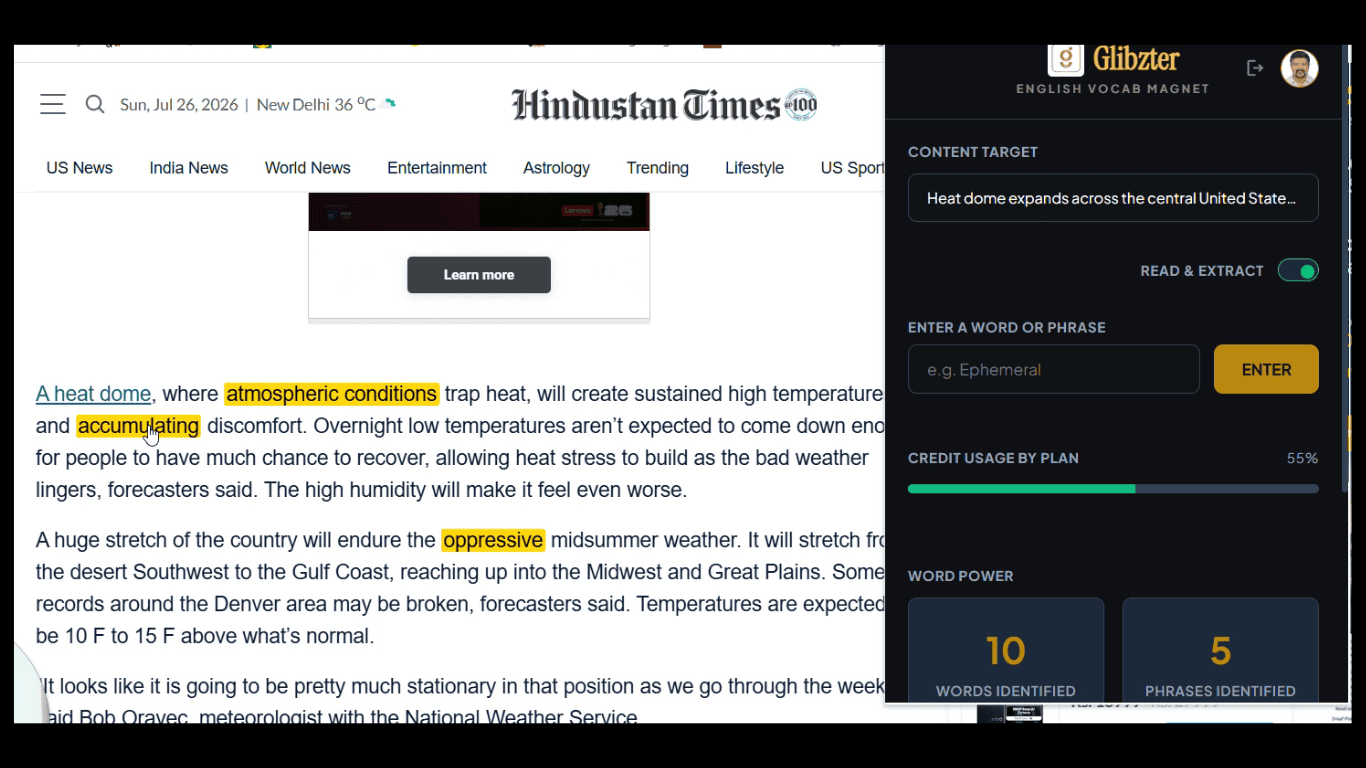
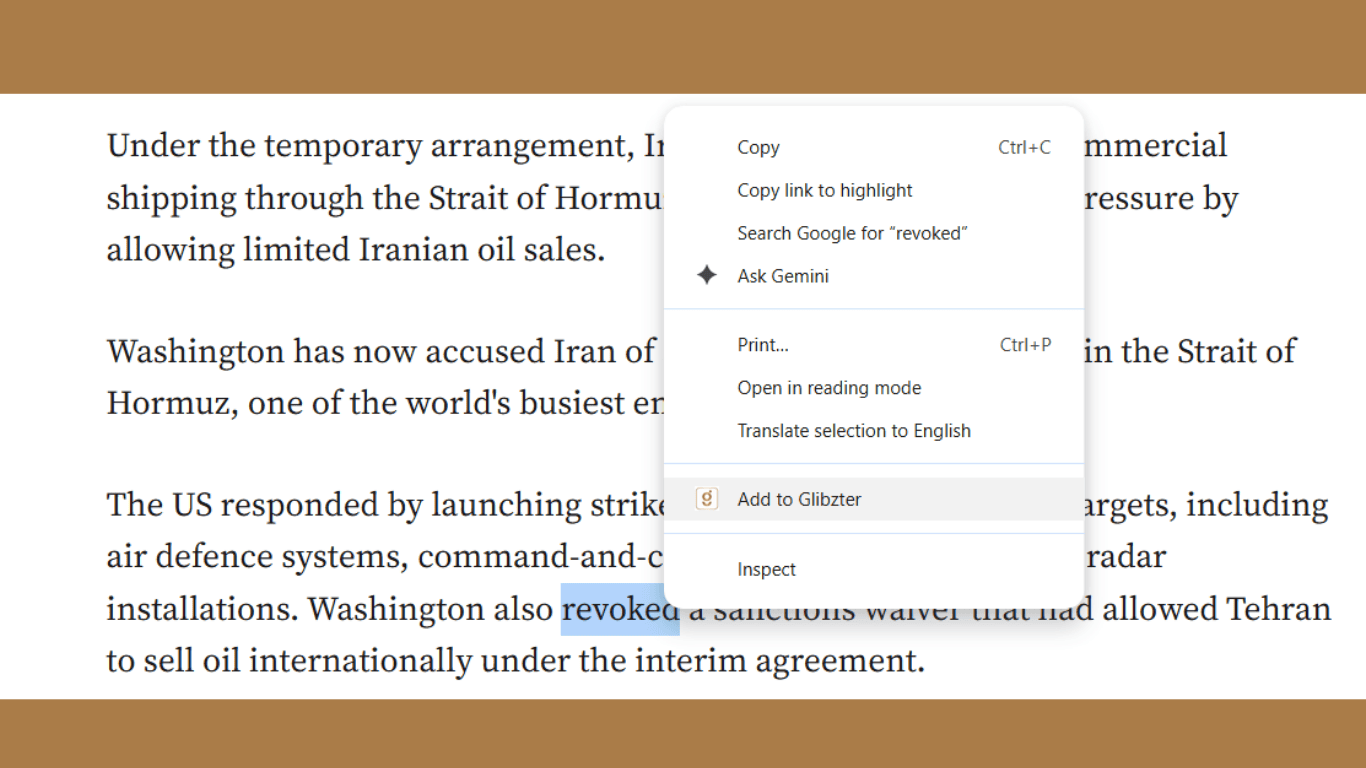
If words aren't highlighted, then users who install such extensions can select words, phrases (word clusters) or entire paragraphs using their cursor, and clicking the extension's brand icon (or right-clicking the selected word/s and then clicking the extension brand icon) to trigger a desired functional feature.
Let's now get down to exploring the best Chrome extensions to aid you in English Vocabulary expansion while reading online media content:
1. Reverso
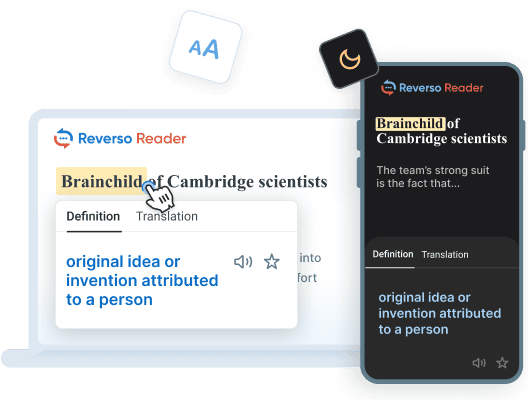
Reverso facilitates cutting edge AI-powered translation of web page content in 25+ languages. Beyond web pages, the translation feature also works on emails and chats.
While it doesn't highlight words on the news article page, you can save your favorite words and expressions manually along with the sentence from the text in which you found them.
Why choose Reverso?
- Has a reader for distraction free reading (by inserting text or web page), along with proprietary content.
- Works on major video streaming platforms with each word in the subtitle made clickable.
- Automatic detection of word clusters (idioms and phrasal verbs) enabling you to expand your selection and adding to the vocabulary list.
- Premium subscription at US$ 11 per month (~ ₹ 1050)
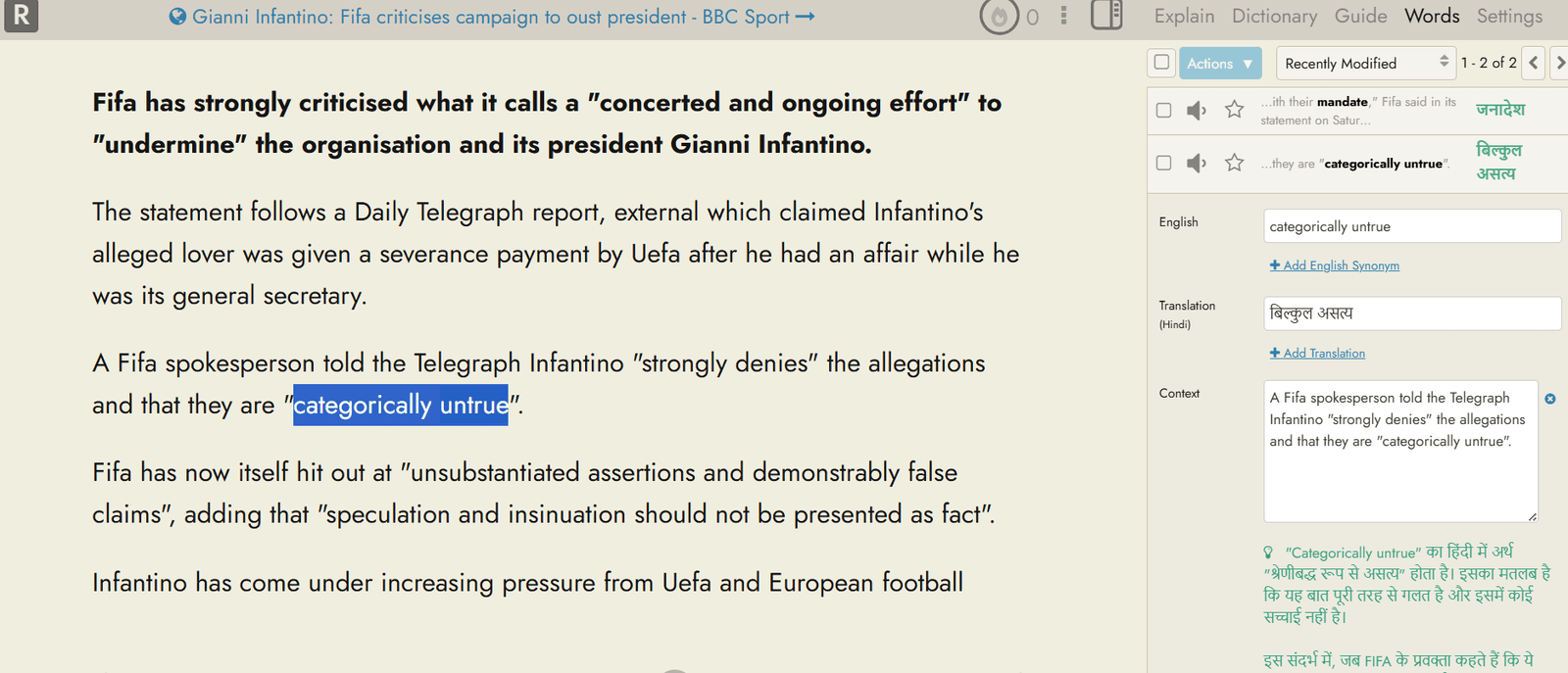
2. ReadLang Web Reader
Functions like Reverso and other Chrome extensions in this space, with the Web reader being its differentiator. You import a news article into the web reader, and start collecting words and phrases you come across.
Why choose ReadLang Web Reader?
- Enables translations across a wider range of languages.
- Interesting practice formats of 'Blitz' (MCQ based questions), Mastery (Typewritten inputs) and Classic Flashcards.
- Readlang works with YouTube videos by displaying a synchronized interactive transcript below the player rather than traditional overlaid video subtitles. As the video plays, words highlight in real-time, and you can click any word for instant translations or save them as flashcards.
- Premium feature pricing of US$ 6 per month (~ ₹ 570)
3. Rememberry
Rememberry is the smart tool for effortless language learning. Simply translate a word or phrase while browsing and turn it into a study card with a single click.
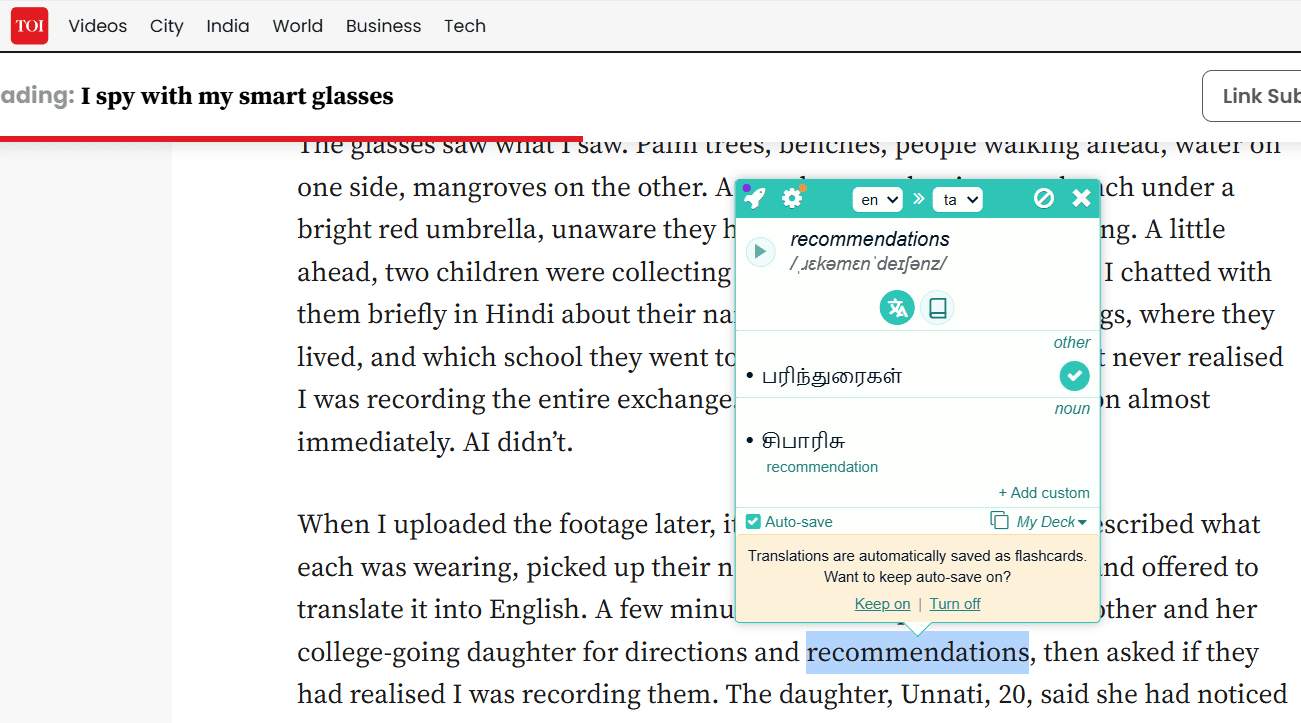
Why choose Rememberry?
- Spaced repetition for optimal efficiency where you choose your study mode: Text-based, Audio-based, or Typing practice
- See reverse translations to gain deeper context
- Mobile App with AI tools to instantly generate custom decks, and practice through dialogues and dynamic exercises
- Affordable Monthly Pricing of US$ 3.50 (~ ₹ 340)
4. Burning Vocabulary
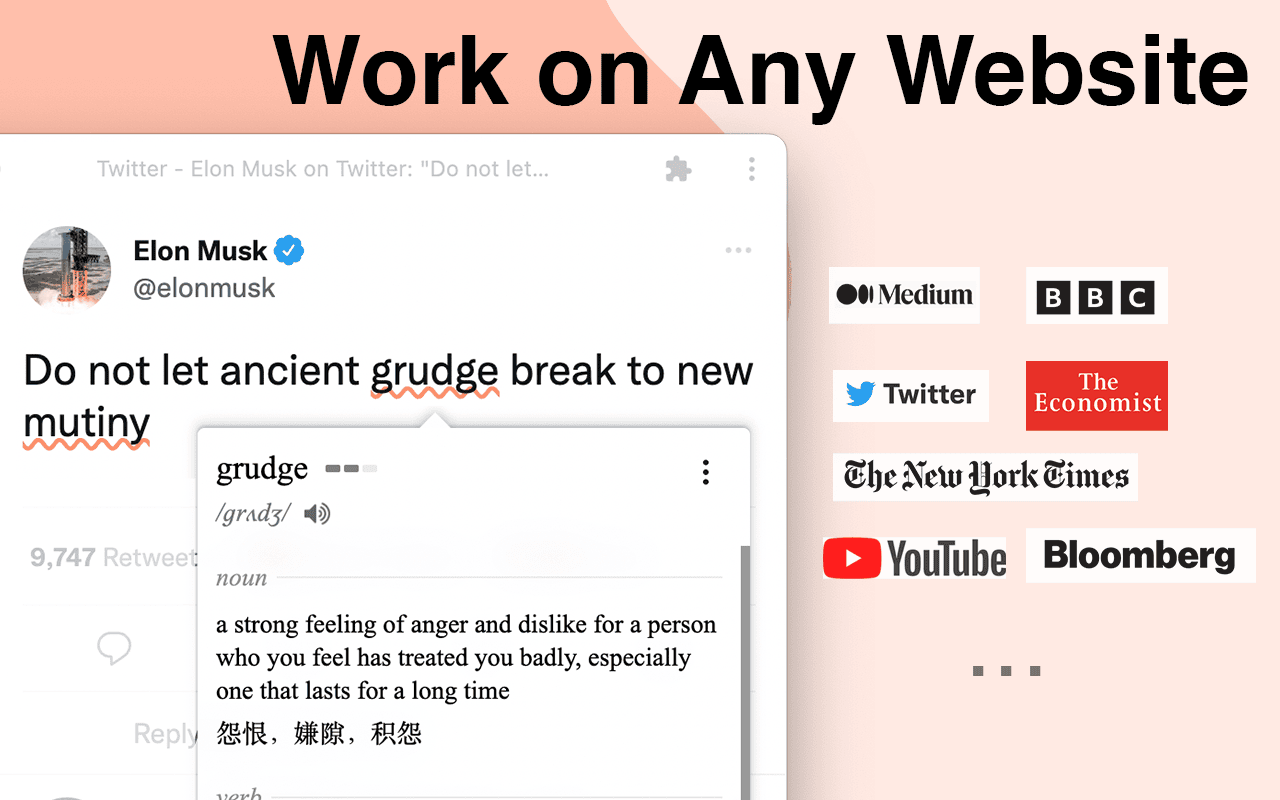
This is a Chrome extension that works on web pages, local PDF files, and video subtitles like YouTube, TED, and Netflix.
Why choose Burning Vocabulary?
- Saved words automatically light up whenever you see them on other websites.
- Collated words in the Vocabulary Calendar which shows words you marked day by day.
- Export and import vocabulary (JSON/ CSV file formats).
- The most affordable browser extension with yearly subscription of US$ 19.99 (~ ₹ 1900).
5. HighVocab
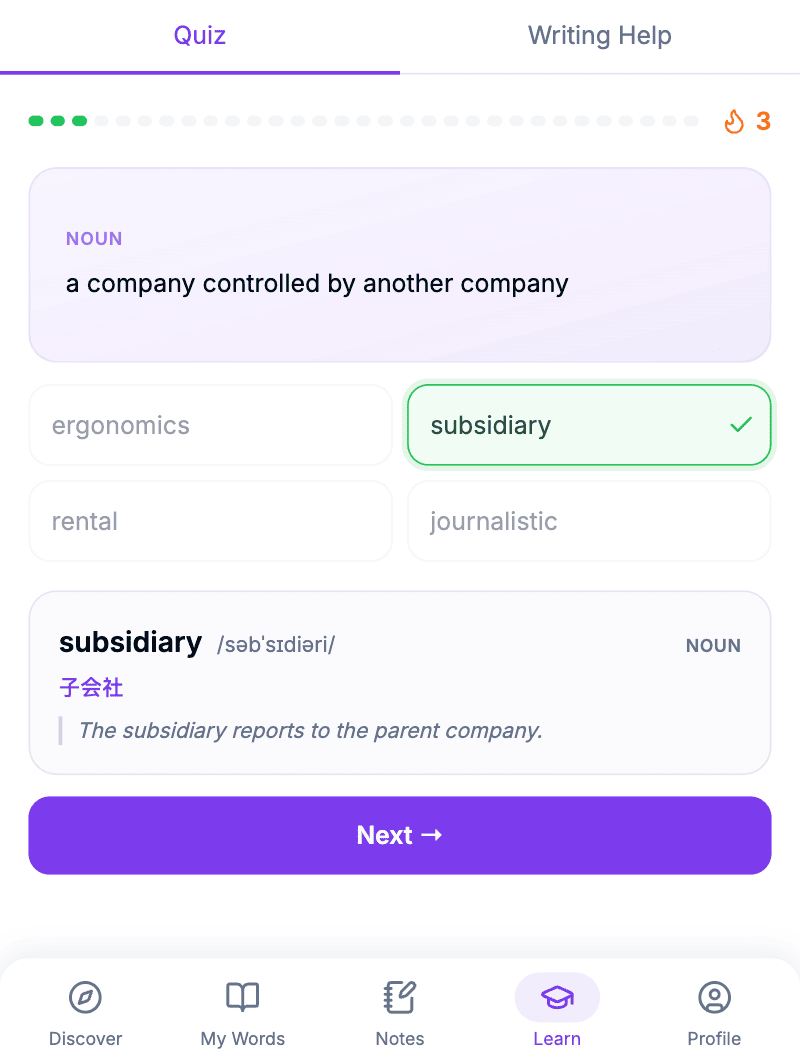
HighVocab is a vocabulary builder and English learning extension for you if you are taking competitive exams like IELTS, TOEFL, GRE improve their English vocabulary while browsing the web.
Why choose HighVocab?
- Hand-curated dictionary of 50,000+ English words
- Discover new words based on themes of your interest CEFR level etc.
- Improve your Writing skills where you can use the browser extension to polish your sentences, based on tone after inputting the context (say an email you have to respond to). Hits home like Grammarly!
- Get audio pronunciation of the word you select in the online article.
- While it does not work on video subtitles, it has an iOS and Android Mobile App.
- One of the most affordable monthly subscription plans at US$ 2.99 (~ ₹ 285)
6. Glibzter English Vocab Magnet
Glibzter has developed this as an AI-powered web browser extension that acts as a 'Digital Magnet' identifying, highlighting and extracting the most high impact English words and phrases from news portals you read. It opens a web app where these identified words and phrases are presented to you for your selection, learning and assessments that test both your lexical as well as contextual usage knowledge.


What makes Glibzter English Vocab Magnet most suitable for you?
Ease of Identification: English Words and Phrases get highlighted on almost 9 out of 10 online websites, making it easy for you to select them for learning and practice.
Safety: 2-Step Permission Authorization Process to protect your private sensitive data. The browser extension reads the page content only if you give it 2 explicit permissions. This also helps you save on your monthly credits usage making it a digital tool that is safe with a token usage and cost optimization feature.↳
Multi-modal Usage: It works on both Video subtitles and online website content in English including E-newspapers and E-Magazine portals.
Learning Effectiveness: While it doesn't have flashcards, it promotes learning in the form of highly engaging assessments requiring speech and typewritten inputs besides MCQs. It helps you document all your saved English words and phrases with their meanings (either in English or in your native language), and sentence usage in the online article you read. Even the qualitative feedback you get during the assessments are documented for your learning.
Value-driven Pricing: Monthly subscription plans start at US$ 3.00 (~ ₹ 249)
Other Extensions for Your Consideration
- eJOY AI Dictionary
- GlotDojo
- Trancy
In Conclusion
- Ease of Usage
- Effectiveness Quotient
- Degree of Engagement
- Value at the Price Point