
Your AI Agent for Immersive English Vocabulary Acquisition
Glibzter English Vocab Magnet is an AI-powered Web Browser Extension that can be installed on Google Chrome and other Chromium-based browsers of your Laptop or Desktop PC.
Plug it into your daily digital content consumption, and it curates high impact English words and phrases for you to test your contextual application on the web app with highly engaging assessments.
Glibzter Makes Word Power Acquisition and Contextual Mastery Easy
Enjoy a seamless digital content consumption experience without having to pause videos or shift tabs to jot down or know the meaning of a new English word or phrase you come across.


How Glibzter English Vocab Magnet Works
The most engaging, systematic and the fastest way to expand your English Vocabulary
Install Glibzter English Vocab Browser Extension today.

The Browser Extension

Permission based reading
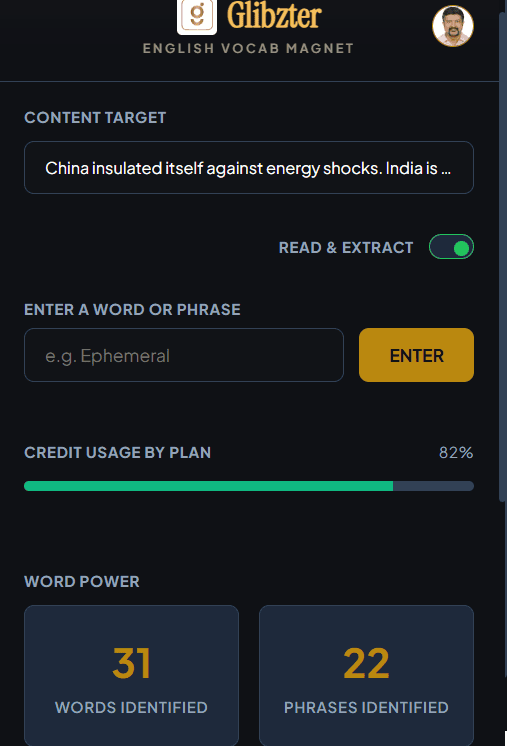
Turn ON the "Read & Extract" toggle button and also provide explicit permission for the browser extension to work on a video or article link.
This means it identifies words and phrases only on those website links you permit every single time, respecting data privacy.
You can also enter words and phrases you come across manually.

Count of Words and Phrases Identified
Get to know the number of words and phrases identified in an online source under the Word Power section.
The browser extension also keeps a count on the data sources - videos, online articles and manual entries in the Sources section.

Credit Usage
Every user will have certain credits which can be used for delivering a great immersive learning experience. Keep a track of your usage of credits based on the subscription plan you have chosen.
On Videos
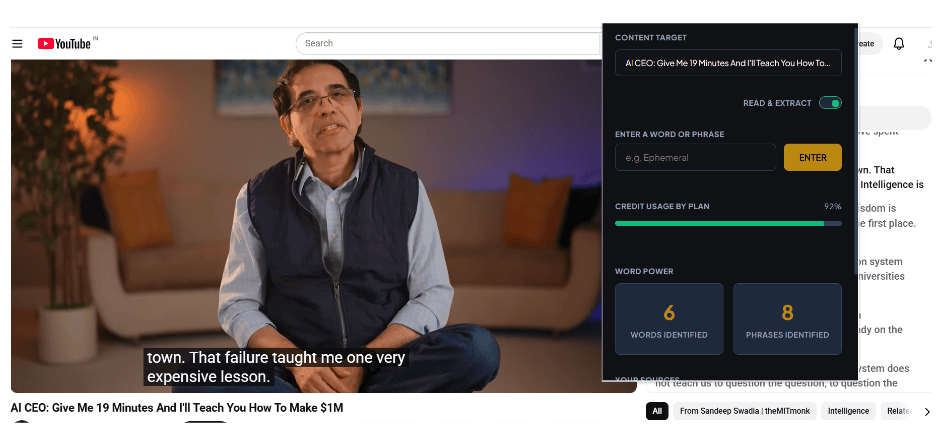
For YouTube videos with transcript screen, the word and phrase selection will take place within the first 30 seconds.
For videos without transcripts as well as YouTube Shorts and OTT Video Streaming platforms, the browser extension will work only if you Turn on CC (Closed Captions)/ Subtitles.
The word and phrase curation will take place within 3 minutesof the video starting and will complete after the entire video (movie or web series episode) is completed.
All curated words and phrases will be captured in the Home screen of the web app.
On Online Articles
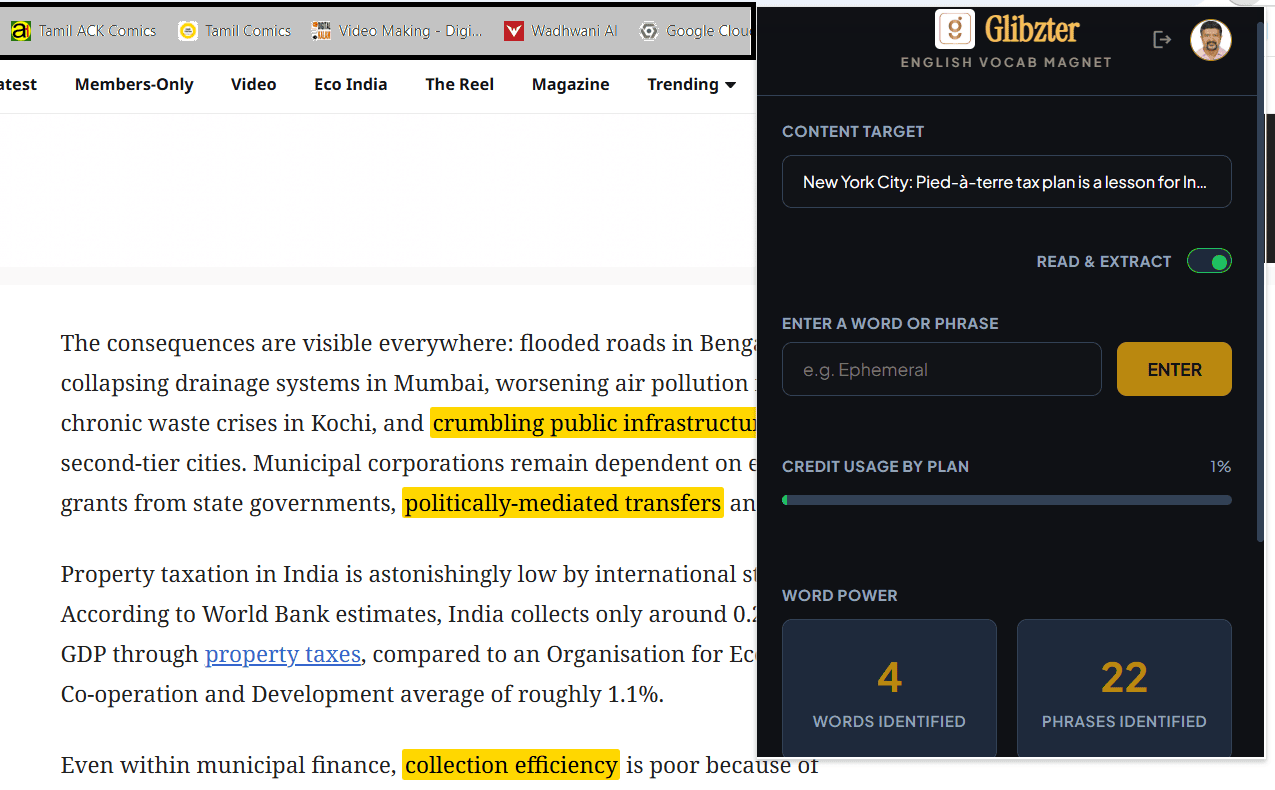
While reading an online article using Glibzter English Vocab Magnet, you will see the high impact words and phrases get highlighted in yellow.
These can be clicked to know the meaning and added for contextual usage assessments.
If you see a word or phrase that is not highlighted, you can select it with your cursor, right click and press "Add to Dictionary"
The Web Application

Curated Words and Phrases
On the Home page, you will find the words and phrases identified by the browser extension presented to you by source.
Tick the checkbox next to the word or phrase you want to practice and contextually be tested on and "Add to Glibzter"

Facilitating the Learning
Seen a word or phrase you don't know the meaning of?
Click on the word to pop up its contextual meaning and usage in the source media you watched or read.
Selected words and phrases along with the meanings and usage can be saved in your Google Drive.

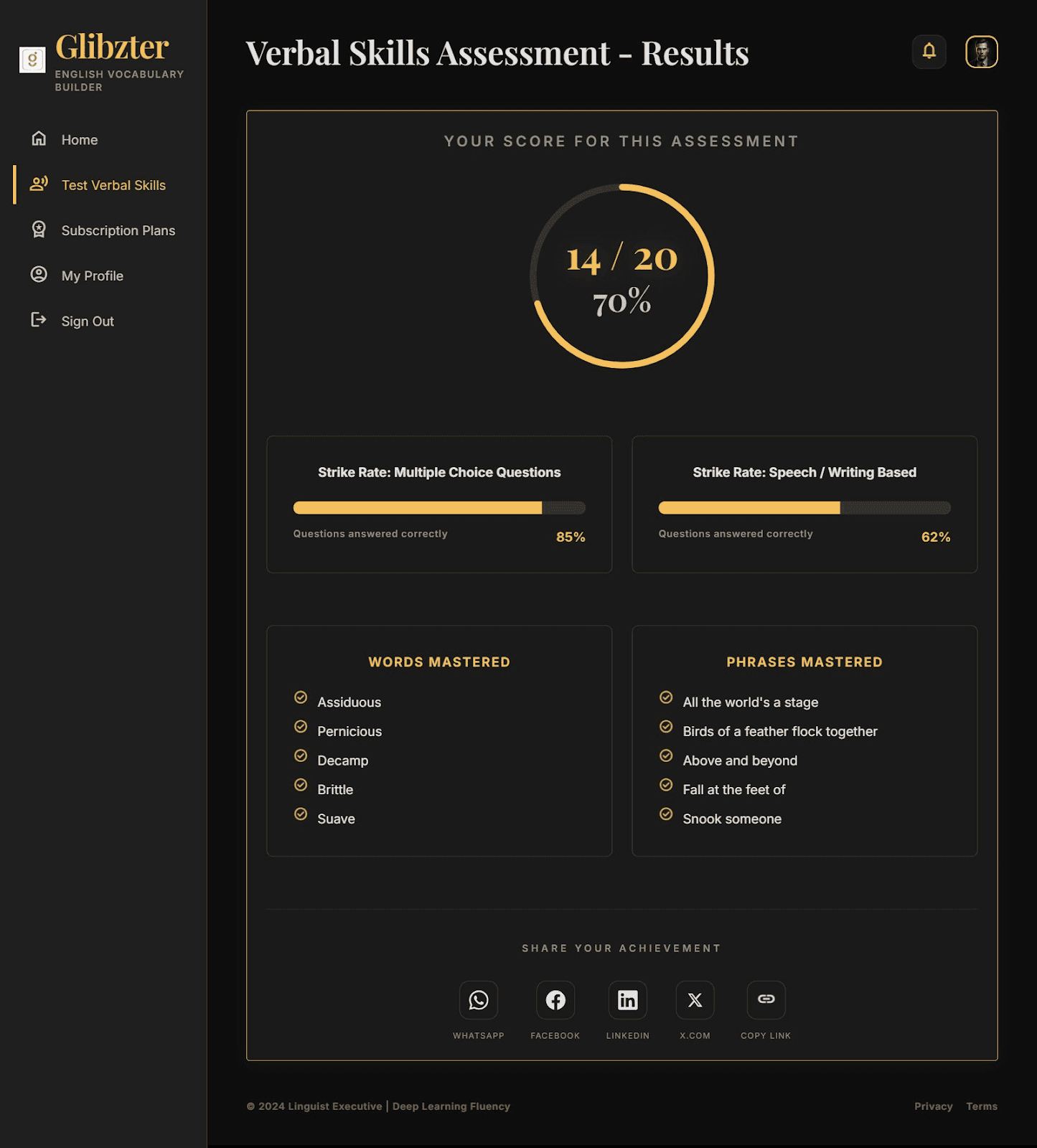
Test your Verbal Skills
An assessments gets ready and presented to you every time you save at least 15 words or phrases.
Every test has a combination of multiple choice questions (MCQs) and Speech input (Voice Recording)/ Writing input based questions.
An Interesting Fact
You can use the web app without using the browser extension, by manually entering words and phrases into the text input box on the Home page.
How Glibzter Complements Your Test Prep
Make Glibzter English Vocab Magnet your Digital Reading Partner for acquiring and building English Vocabulary needed to ace the verbal sections of competitive entrance examinations such as GRE, GMAT, PSAT, SAT, CAT and UPSC CSE; as well as English proficiency tests such as IELTS and TOEFL iBT.





Subscription Plans
Glibzter English Vocab Magnet is an AI powered solution and we adopt a credit usage based pricing.
Install our browser extension on the web browser of your choice and avail FREE 250 credits today!