
In this GlibTalks blog, we look at the Web browser extensions that are available in the Chrome Web Store like Glibzter English Vocab Magnet that will help you in your journey of enhancing your Word Power in English while streaming videos with subtitles.
While most of us are well versed with websites, apps and browsers, in addition to integrating LLMs such as ChatGPT, Gemini and Claude into our daily lives; browser extensions (sometimes interchangeably called as plug-ins) may not elicit the same degree of familiarity or trust-induced comfort among some of us.
So let us first get down to understanding what a browser extension is, and how it can help you in your endeavor to build and expand your English Vocabulary through immersive modes of streaming videos on popular Video-On-Demand platforms by turning on English subtitles or closed captions (CC).
What are Browser Extensions?
Browser extensions are software programs that add features to power-up the browser you use to access the internet on your laptop/ desktop PC to help you perform functions that boost your productivity or meet your desired objectives. When built specifically for web browsers such as Google Chrome and for other Chromium based browsers such as Microsoft Edge, Perplexity's Comet, and Zoho's Ulaa, they are called Chrome extensions.
Need help to polish your sentences in an email? There's an extension for that. Finding a font on an online news article difficult to read? There's an extension to change it to a font of your choice. Finding those online ad pop-ups intrusive while consuming content online? There's an extension to help you block them. There are a whole host of functionalities which extensions can perform if you install them on the browser you use.
Want to improve your English by building your English Vocabulary? Well, that is what this blog is going to cover by recommending you the best browser extensions to help you with that.
Browser extensions in general, have limited functionality of mobile browsers and even the browsers on your smart connected TVs (CTV), though you do have mobile browsers such as Lemur, Yandex, Kiwi as well as Microsoft Edge which support the functioning of browser extensions on mobile devices such as smartphones and tablets.
Now that we have an understanding of what a browser extension is, let's get exploring on some of the Best Chrome Extensions to help you build and expand your English Vocabulary through Video Streaming with Subtitles that we at Glibzter look up to with reverence and would recommend you:
Trancy
Trancy provides bilingual subtitle for videos on platforms like YouTube, Disney+, TED, Coursera, edX and Udemy. These subtitles are interactive, allowing you to click individual words as well as pre-identified phrases with your cursor to open a pop-up box with Dictionary definitions, usage examples, etymology, synonyms and related phrases in your native language as well as English.
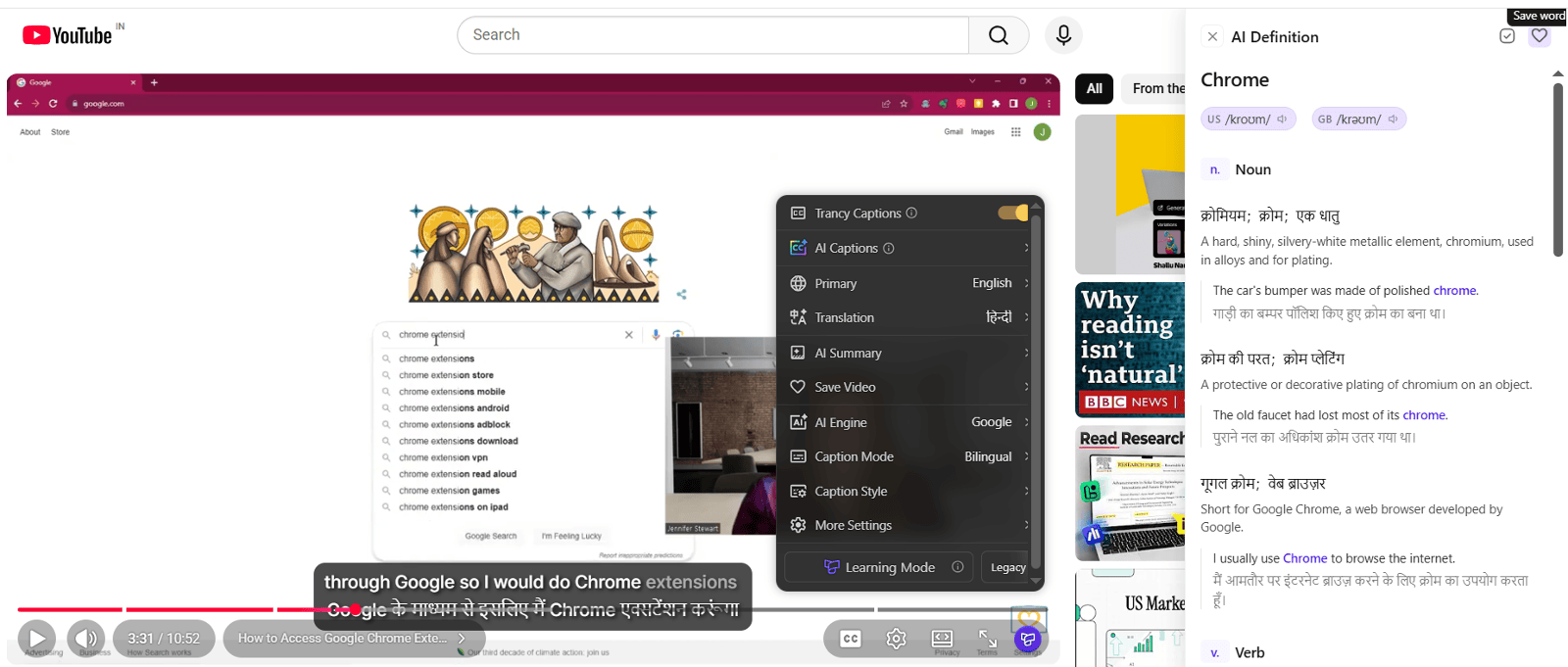
Here's why we recommend Trancy
Ideal for English learners who are at the Beginner or Beginner to Intermediate level of English proficiency, who need their native language as a support to understand the English content in the videos. Users can download subtitles in PDF, CSV or SRT file formats, to learn by creating flashcards or to save vocabulary data in the form of spreadsheets.
A web / mobile app with:
- Curated set of videos updated every day
- Access to saved set of words and sentences for learning meanings, usage examples etc.
🌟What sets it apart:
- Having AI-powered role plays to help you with speech practice
- PDF Translator
- Access entire Word Lists (CEFR A1-C2 levels, GRE, GMAT, SAT, IELTS, TOEFL, TOEIC, PTE, Oxford 5000)
- Free forever word and sentence translation, with subscriptions starting at US$ 3.49 (~₹ 335) per month.
Language Reactor
Formerly called 'Language Learning with Netflix', Language Reactor was the forerunner in the space of using immersive mode of videos with subtitles for language learning. The extension adds dual language subtitles which are interactive and when clicked, pops up a dictionary with definition, synonyms and usage examples. This lexical data is sourced from Cambridge Advanced, Wikitionary, Reverso, WordReference and Glosbe.
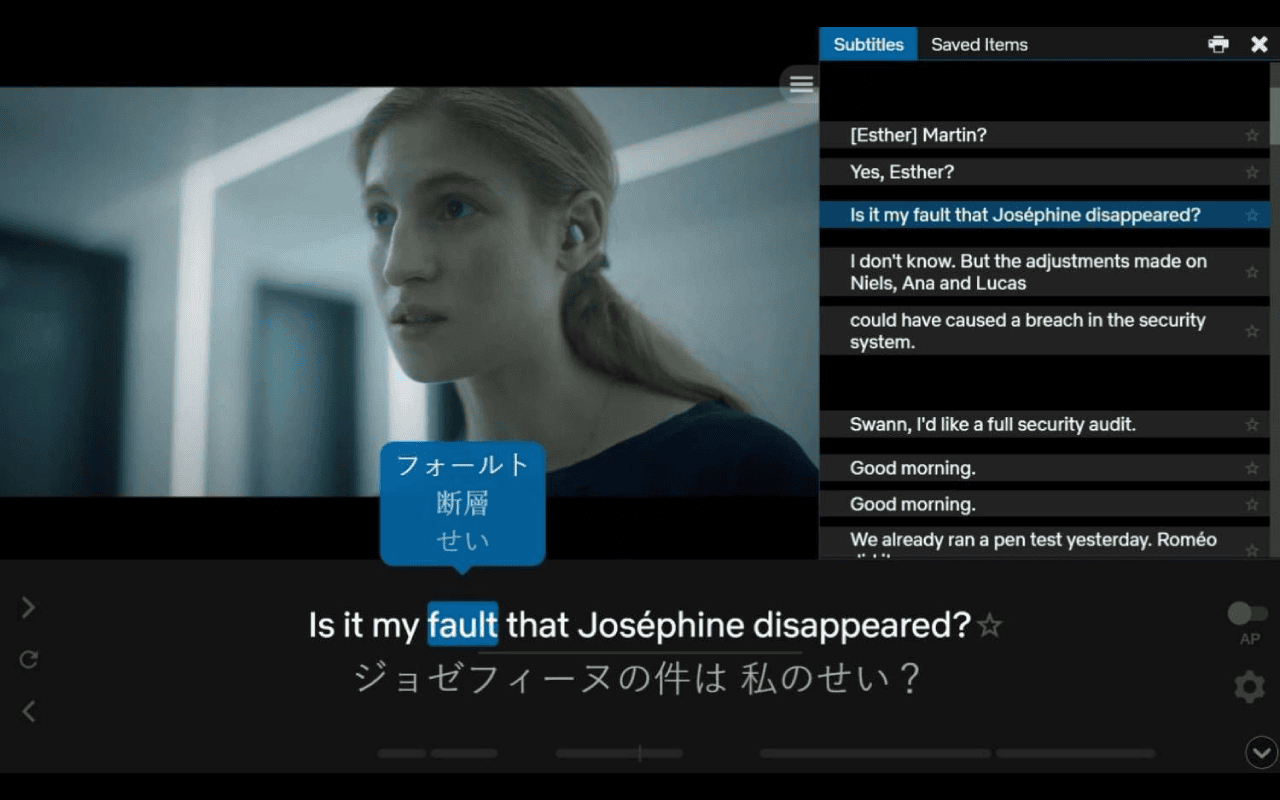
Reasons for recommending Language Reactor
Much like Trancy, it is ideal for English learners who are at the Beginner or Beginner to Intermediate level of English proficiency, who need their native language as a support to understand the English content in the videos.
🌟What sets it apart:
- Having AI-powered chatbot - Aria for speech practice with translation in native language
- PhrasePump for enhancing listening comprehension for 'Beginner' level proficiency users
- All words in a video are sorted by frequency and difficulty level.
- Export in Anki Package and .JSON format along with Excel and CSV formats.
- Premium features at a monthly subscription starting from US$ 5 (~₹ 409)
eJOY AI Dictionary
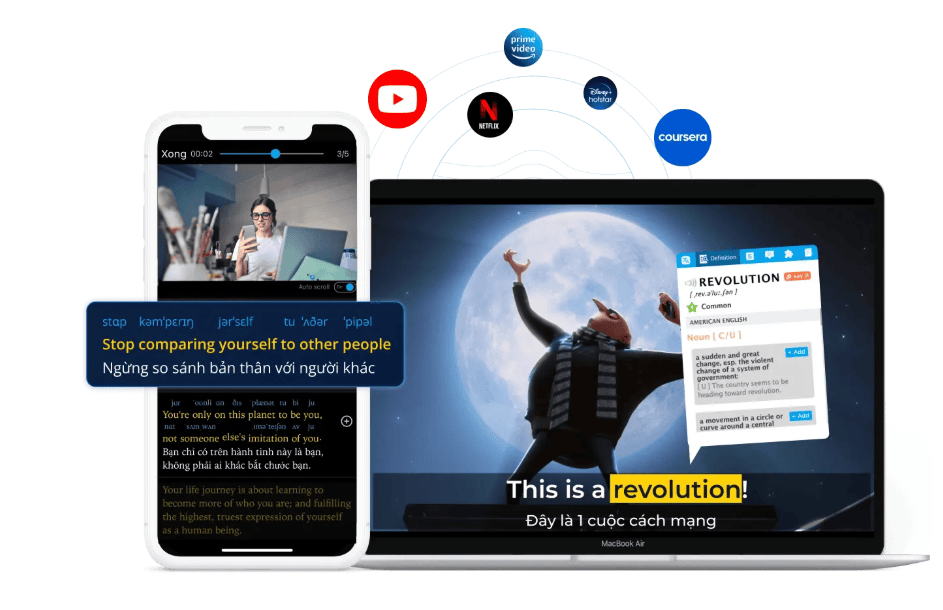
Why choose eJOY?
Much like Trancy and Language Reactor which generate bilingual subtitles, eJOY is ideal for English learners who are at the Beginner or Beginner to Intermediate level of English proficiency, who need their native language as a support to understand the English content in the videos.
If a video doesn't have subtitles uploaded, it has the feature of rendering machine-generated subtitles.
🌟What sets it apart:
- Can overlay 3 types of subtitles on the screen with real-time translation - Originally uploaded subtitles, translated native language subtitles and machine-generated subtitles.
- Words in a video categorized by frequency, CEFR proficiency levels and exam type (TOEFL, IELTS, TOEIC, SAT)
- 10+ gamified formats for Vocabulary learning including video clip based questions
- Ability to read and translate PDF documents
- Mobile App + Web platform for practicing words and phrases saved
- Great value for premium features at US$ 3.16 per month (~₹ 300) on taking the quarterly plan of US$ 9.49 (~₹ 900)
FluentAI
FluentAI works on the major streaming platforms: YouTube, Netflix, Disney+, Prime Video, and HBO Max. Like all the previous extensions listed, FluentAI too creates bilingual clickable subtitles on the screen for instant translations, definitions, example sentences, and grammar analysis appear in a popup just like a built-in dictionary.

What makes FluentAI tick?
🌟What sets it apart:
- One of the few browser extensions having a Leaderboard based on the number of words saved and practiced.
- Practicing of the saved words takes place through Spaced Repetition Scheduling (SRS) as well as Regular Non-SRS mode using Flashcards, Cloze Testing and Sentence Mining.
- Maintains a log of all videos watched, as well as curates a set of video resources in the "Discover" section.
- The Media Player feature lets you to drag and drop video and audio files to play them with FluentAI subtitles, translations, and interactive learning features.
- AI Translator of copy pasted text into other languages along with AI Dictionary.
- Can import and read PDF documents and EPUB files for reading books.
- Basic Plan starts at US$ 4.99 per month (~₹ 475) and Pro plan with AI features at US$ 9.99 (~₹ 950) per month.₹ 475) and Pro plan with AI features at US$ 9.99 (~₹ 950) per month.
Glibzter English Vocab Magnet 🧲
An AI-powered web browser extension that automatically selects in real-time, high impact English words and phrases from the English subtitles/ closed-captions (CC) that you turn on while streaming online videos of movies, web series, documentaries, podcasts etc. on your laptop/ desktop PC. It is programmed to work on video streaming platforms such as Netflix, YouTube, JioHotstar and Prime Video.
While the browser extension helps you with English vocabulary acquisition, it opens a web app where you can see the curated list of English words and phrases with clickable pop-ups of contextual meaning along with a sentence showing how it was used in the source video.
The web app is where the learning takes place for you in the form of lexical and contextual usage tests with speech / writing based inputs.
Unlike the extensions listed above, Glibzter English Vocab Magnet's value proposition isn't about generating bilingual subtitles or translations. It is laser-focused only on English Vocabulary acquisition and contextual usage mastery, and no other language!
Why Should You Choose Glibzter?
Glibzter English Vocab Magnet is the ideal digital English Vocabulary Building Companion for you if you have foundational knowledge (i.e. basic to intermediate proficiency) in English and wish to improve their English language skills through the digital content they consume on a daily basis.
If you are learning English at a basic level, you can still avail the "Translate in Native Language" option (in My Profile) to see the contextual meanings of the words and phrases.
🌟Here's what differentiates Glibzter English Vocab Magnet from the rest:
- No distraction of bilingual subtitles. Users can focus on listening to the audio and reading the English subtitles in the video to comprehend the video content. It helps you to start 'THINKING IN ENGLISH'.
- The most impactful English words and phrases used in the video are curated and presented to you on the web app, along with their contextual meanings in English or the native language of your choice and how they were used as a sentence in the video.
- This makes your video watching experience seamless without having to click on a word or phrase in the subtitles (which in the other browser extensions stops the video, thereby making it a 'fits and starts' experience)
- All the Words and Phrases which you select and "Add to Glibzter" are collated in the My Learning page which can be exported into a Google Doc and saved in your Google Drive.
- Encourages social sharing of learnings in the form of creating posts on social media platforms.
- Quantify your learning with daily, weekly and monthly data of your performance .
- Affordable Subscription Plans starting at US$ 3 per month (~₹ 249).


In Conclusion
Some of the other browser extensions worthy to be considered would be eLang and GlotDojo (also developed by eJOY) which can be subsumed under the category of bilingual subtitle generators and translators.
Your choice of browser extension for helping you with your objective of expanding your English vocabulary, boosting your word power, and becoming a more effective communicator will be determined by its:
- Ease of Usage
- Effectiveness Quotient
- Degree of Engagement
- Value at the Price Point
How do you think each of these browser extensions covered in this blog fare on these parameters? Do write in your thoughts in the comments section below.