Your AI Agent for English Vocabulary Acquisition
Glibzter English Vocab Magnet is our AI-powered web browser extension that you can plugged into the digital platforms you stream videos on or the online English news websites you read.
It serves as an AI agent which selects high impact English words and phrases for you to learn their contextual application on the Glibzter Web app.
Your Verbal Gym to Master Usage of Acquired Vocabulary
The Glibzter Web App is where all the curated set of English words and phrases from the browser extension and manual entries are presented to you for learning.
It serves as an arena for Daily Verbal Skills Challenges in 3 engaging formats where you'd be responding through speech and written inputs with real-time feedback.
Share your results for peer-to-peer learning.
Word Power Made Easy
Enjoy a seamless digital content consumption experience while Glibzter selects English words and phrases for you in real-time.



How Glibzter English Vocab Magnet Works
The Browser Extension

Permission based reading
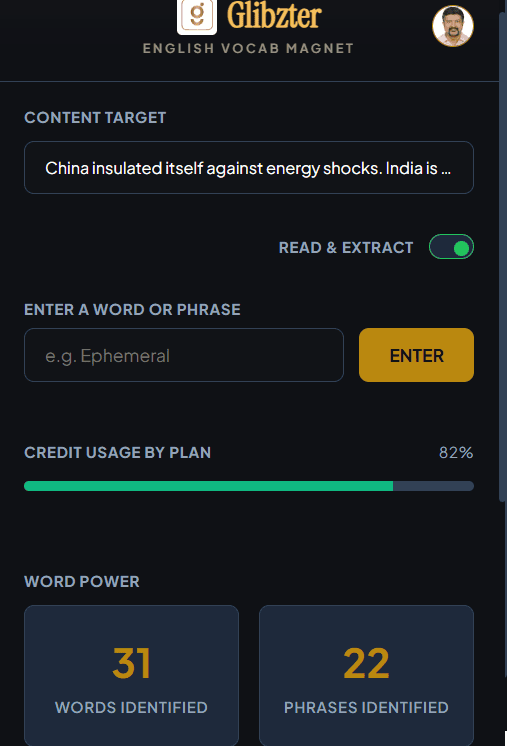
Turn ON the "Read & Extract" toggle button and also provide explicit permission for the browser extension to work on a video or article link.
This means it identifies words and phrases only on those website links you permit every single time, respecting data privacy.
You can also enter words and phrases you come across manually.

Count of Words and Phrases Identified
Get to know the number of words and phrases identified in an online source under the Word Power section.
The browser extension also keeps a count on the data sources - videos, online articles and manual entries in the Sources section.

Credit Usage
Every user will have certain credits which can be used for delivering a great immersive learning experience. Keep a track of your usage of credits based on the subscription plan you have chosen.
On Videos
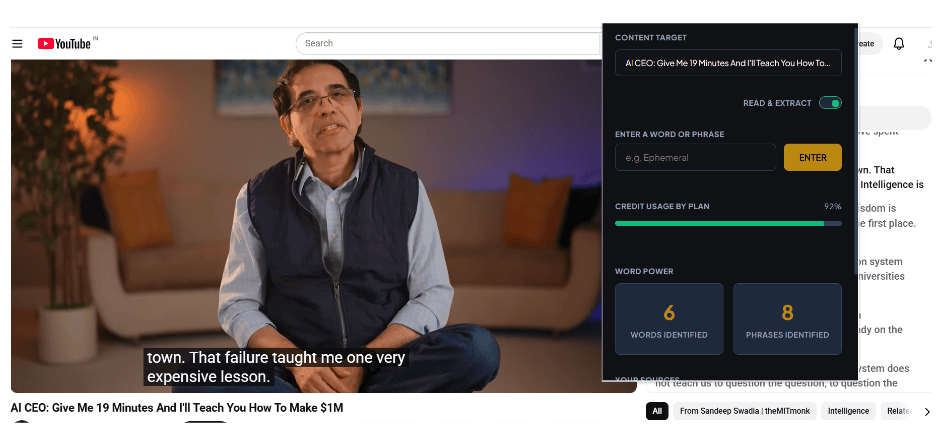
For YouTube videos with transcript screen, the word and phrase selection will take place within the first 30 seconds.
For videos without transcripts as well as YouTube Shorts and OTT Video Streaming platforms, the browser extension will work only if you Turn on CC (Closed Captions)/ Subtitles.
The word and phrase curation will take place within 3 minutesof the video starting and will complete after the entire video (movie or web series episode) is completed.
All curated words and phrases will be captured in the Home screen of the web app.
On Online Articles
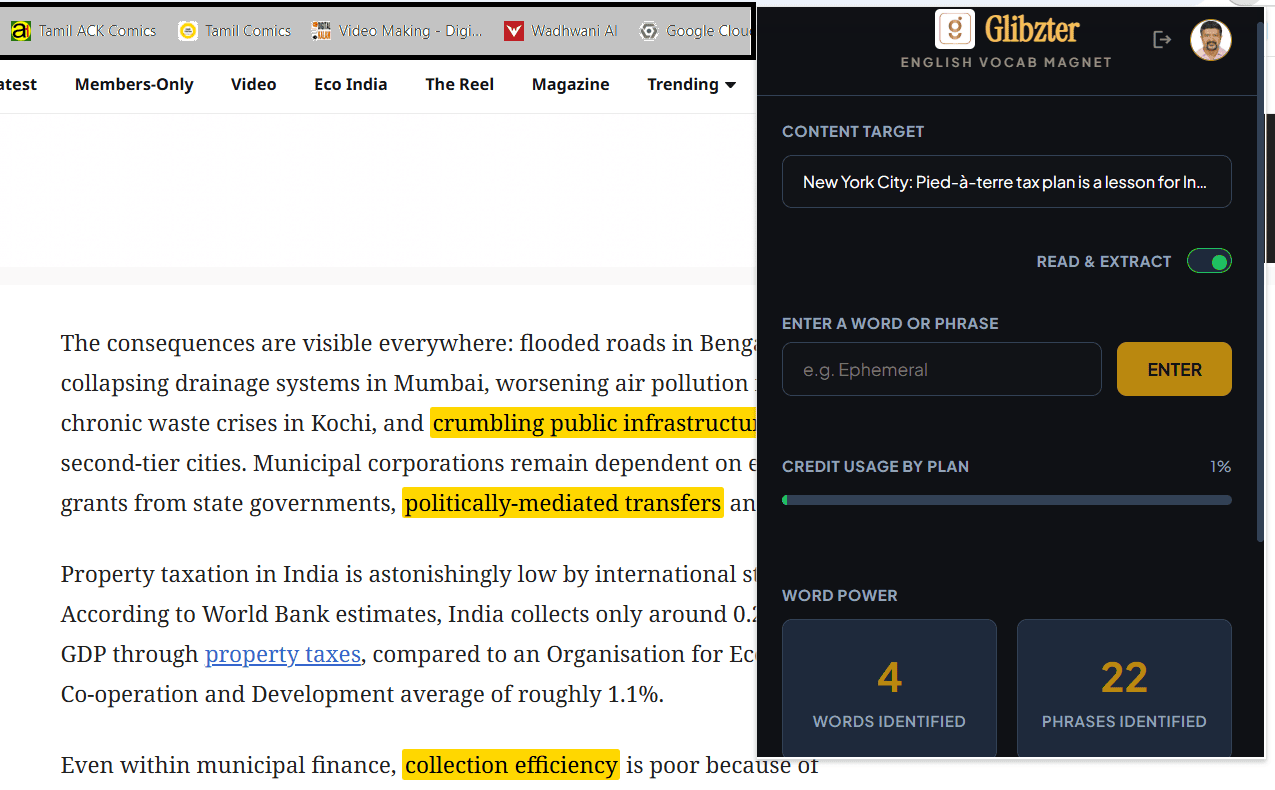
While reading an online article using Glibzter English Vocab Magnet, you will see the high impact words and phrases get highlighted in yellow.
These can be clicked to know the meaning and added for contextual usage assessments.
If you see a word or phrase that is not highlighted, you can select it with your cursor, right click and press "Add to Dictionary"
The most engaging, systematic and the fastest way to expand your English Vocabulary
Install Glibzter English Vocab Browser Extension and take up a Verbal Skills Challenge on the Glibzter Web App today.
Glibzter Web App

Curated Words and Phrases
On the Home page, you will find the words and phrases identified by the browser extension presented to you by source.
Click on the word to pop up its contextual meaning and usage in the source media you watched or read.
Tick the checkbox next to the word or phrase you want to be tested on by clicking "Add to Glibzter"

Facilitating the Learning
The words and phrases selected by clicking "Add to Glibzter" are saved in the My Learning page of the web app along with the meaning, the part of speech and usage in the source media.
Click on "Mental Markers" to help you remember the saved words and phrases better.
The words and phrases can be saved as a Google Doc in your personal Google Drive to make your learning tangible.

Verbal Skills Challenge
A Verbal Skills Challenge is presented to you every time you save at least 15 words or phrases in My Learning page.
Every challenge has 3 interesting multi-round formats requiring Speech / Written responses to assess your contextual application of the English words and phrases learnt.
Share the results of every Verbal Skills Challenge, and stand a chance of winning 1000 credits for every new 3 users who take up a challenge you've shared.
How Glibzter Complements Your Test Prep
Make Glibzter English Vocab Magnet your Digital Reading Partner for acquiring and building English Vocabulary needed to ace the verbal sections of competitive entrance examinations such as GRE, GMAT, PSAT, SAT, CAT and UPSC CSE; as well as English proficiency tests such as IELTS and TOEFL iBT.